Menu
They assembled a PC with hidden ports. What turned out to be more difficult than they expected?
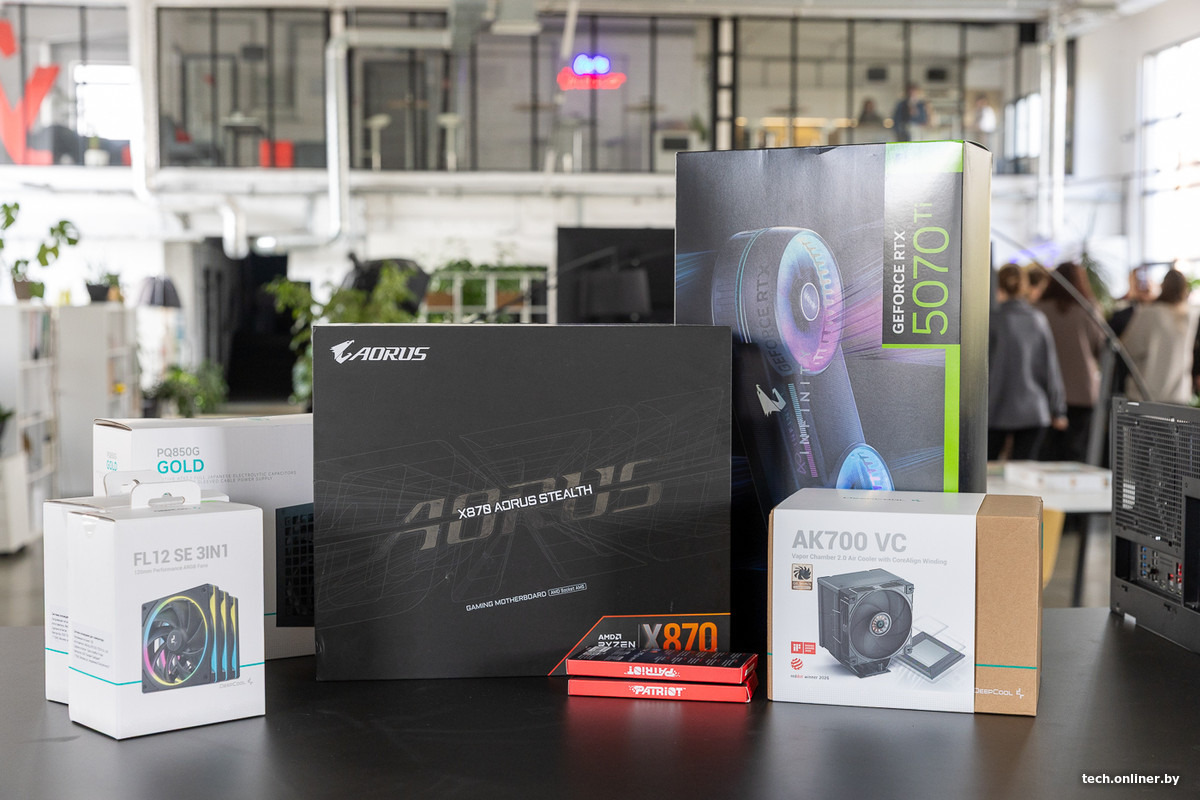
This article was inspired by our interest in a still relatively rare type of PC build: cable-free assembly. The name is conditional—wires don't disappear entirely; the manufacturer simply moves the main connection ports to the back of the motherboard. Let's build such a computer and see how convenient it is, and what nuances arise during the process.
What this article is about
What we'll be building with
Preparing the motherboard for installation
Power supply placement
Organizing case airflow
Connecting cables and nuances of the cable-free build
Installing the graphics card
What we ended up with
What we'll be building with
The list of components turned out to be quite impressive. The foundation of the build is the Gigabyte X870 Aorus Stealth. The last word in the name indicates the line of devices with hidden connectors. Continuing the theme, we have the Gigabyte Aorus GeForce RTX 5070 Ti Infinity graphics card with a cleverly concealed power connector.
For such a board, you need a compatible case—with cutouts for the ports in the tray and enough space behind them for connecting and routing cables. In our case, this is the DeepCool CL600—the manufacturer explicitly states support for boards with rear-facing ports.
Full list of components:
- Gigabyte X870 Aorus Stealth motherboard
- Gigabyte Aorus GeForce RTX 5070 Ti Infinity graphics card
- AMD Ryzen 7 9850X3D processor
- DeepCool CL600 case
- DeepCool AK700 VC cooler with an updated vapor chamber
- Patriot DDR5 RAM, 2x16 GB
- Kingston Fury Renegade 1TB SSD
- DeepCool GamerStorm PQ850G power supply
- DeepCool FL12 SE 3IN1 fan pack
Next, we'll show the key aspects of the build: how convenient it is to connect the hidden ports, where the cables need to be hidden, and whether they can be completely kept out of sight.
We'll also see how user-friendly the DeepCool CL600 case and other components are during installation and connection.
Preparing the motherboard for installation
First, we install the processor, RAM, SSD, and cooling onto the board. And here's the first surprise: the ports are on the back. During assembly, you need a support that leaves free space underneath them, otherwise you could bend the contacts, for example, on the ARGB lighting connectors. The board must lie stable and not slip.
This time, we'll do without liquid cooling. The DeepCool AK700 VC is the AK700 with an updated vapor chamber, VC 2.0. A long screwdriver is needed for installing the cooler—it's included in the kit.
To install the ATX board in the case, first remove the two stock fans from the bottom. They are mounted on a common bracket held by two screws on the sides. This is a convenient solution for later maintenance.
We slide the board into the case — and it immediately becomes clear why choosing the right case is important for such a build. The case tray has special cutouts — through them we get access to the connectors on the back side of the board.
Power supply location
In the DeepCool CL600, the power supply is located at the front. To install it, first unscrew the decorative frame on the glass side. Behind it we find the power cord extension and the PSU mounting bracket. We unscrew the latter from the case, screw it to the power supply, and install them together.
Case airflow organization
The DeepCool CL600 has eight fan mounting positions. The two lower ones are already occupied by the stock fans. Only 140‑mm models can be installed at the front — we didn’t have any on hand. The lower fans blow air inward, so we set up airflow from bottom to top.
The top of the case is removable — already almost a basic standard for mid‑range cases, lacking it would be a faux pas. First we remove the top panel with the mesh, then we get access to the frame for 120‑ or 140‑mm fans. The frame can also be unscrewed and taken out: especially convenient when installing a liquid‑cooling radiator.
We installed three fans on top and one at the rear — all exhaust. We linked them in a chain, and the connecting cable still needs to be hidden. Remember: the build should end up with concealed connectors and cables. We’ll talk more about the routing nuances later.
Connecting cables and nuances of cable‑free build
The main cables from the power supply were connected without problems. The PSU compartment is covered by a removable plug: we remove it without tools and get convenient access to the connectors. We secure the cables with the supplied Velcro straps.