Menu
From October 1, changes to the operation of the M-Belarusbank mobile app have come into effect.
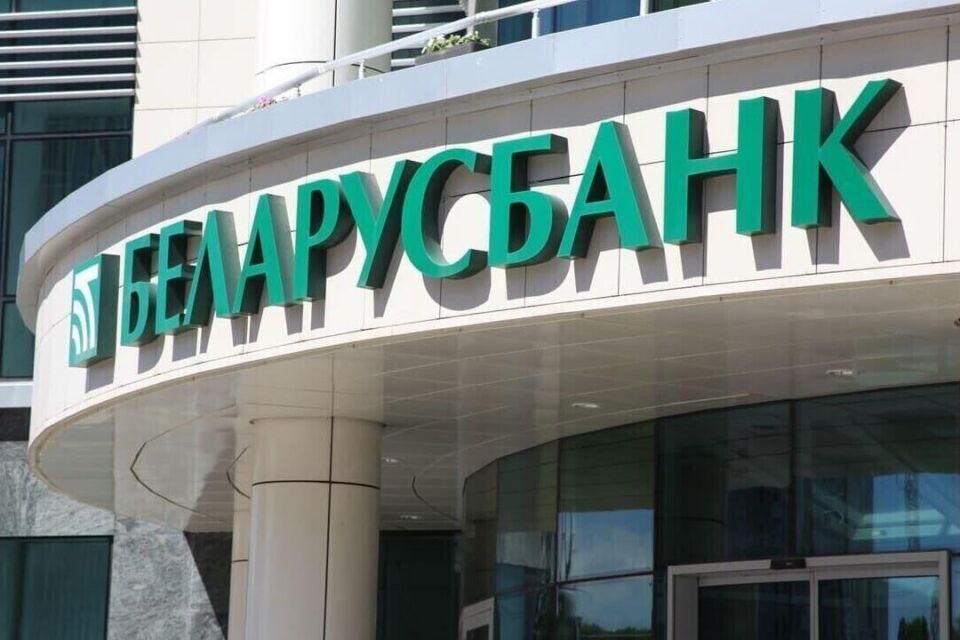
Starting from October 1, 2026, changes to the operation of the M-Belarusbank mobile application came into effect. To avoid misunderstandings and help residents of our district adapt to new developments, we have asked the head of the #724 Bank Services Center of JSC "ASB Belarusbank" in Khotimsk village, Lyudmila Platonova, to explain in detail what is changing and how to continue using banking services with maximum convenience.
– Lyudmila Vladimirovna, many clients have already heard about upcoming changes to the mobile app. Should one worry that the service will become less convenient?
– There is no need to worry. Both services – the M-Belarusbank mobile app and the online bank Belarusbank – will continue to function normally. The changes concern only certain settings and packages of services that can now be replaced by free alternatives.
- Which specific packages of services are being referred to?
– From October 1st, the M-Belarusbank mobile app will stop providing free package services called "Full" and "Basic" for a number of card products. This applies to holders of club cards "Persona," "Lady," "Men's Club," "Izima Card" (including student and student cardholders), "#mozhnovse," "Zebra," "Shchodraya," and "Lime."
But there is excellent news: in the Belarusbank online bank (the web version via browser), full free push notification service for all listed card types is now available.
- So notifications won't disappear at all?
– Exactly so! Only the platform has changed. In the online bank, the following types of free push notifications are available:
For incoming and outgoing operations – for cards: "Lady," "Persona," "Zebra," "Men's Club," "Izima Card," "#mozhnovse," "Shchodraya," and "Lime."
Only for outgoing operations – for cards: "Blank Cards," "#start," "Velvet," "Mine," "Student Card," "Active Student."
- How should a client independently subscribe to these free notifications?
- The procedure will take a couple of minutes. One needs to enter the Belarusbank online bank and follow these steps:
In the "Products" section open the "Cards" tab and select the desired card.
On the card page click the settings icon in the upper right corner and go to the "Manage Card" section.
Select the "Notifications" item, click "Subscribe," then choose the desired type of PUSH and confirm the action. After receiving confirmation, the push notifications activate automatically.
- And what about holders of the popular "Velvet" card? Is anything changing for them?
This completes the first fragment. Let me provide the translationStarting from October 1, 2026, changes to the operation of the M-Belarusbank mobile application came into effect. To avoid misunderstandings and help residents of our district adapt to new developments, we have asked the head of the #724 Bank Services Center of JSC "ASB Belarusbank" in Khotimsk village, Lyudmila Platonova, to explain in detail what is changing and how to continue using banking services with maximum convenience.
– Lyudmila Vladimirovna, many clients have already heard about upcoming changes to the mobile app. Should one worry that the service will become less convenient?
– There is no need to worry. Both services – the M-Belarusbank mobile app and the online bank Belarusbank – will continue to function normally. The changes concern only certain settings and packages of services that can now be replaced by free alternatives.
- Which specific packages of services are being referred to?
– From October 1st, the M-Belarusbank mobile app will stop providing free package services called "Full" and "Basic" for a number of card products. This applies to holders of club cards "Persona," "Lady," "Men's Club," "Izima Card" (including student and student cardholders), "#mozhnovse," "Zebra," "Shchodraya," and "Lime."
But there is excellent news: in the Belarusbank online bank (the web version via browser), full free push notification service for all listed card types is now available.
- So notifications won't disappear at all?
– Exactly so! Only the platform has changed. In the online bank, the following types of free push notifications are available:
For incoming and outgoing operations – for cards: "Lady," "Persona," "Zebra," "Men's Club," "Izima Card," "#mozhnovse," "Shchodraya," and "Lime."
Only for outgoing operations – for cards: "Blank Cards," "#start," "Velvet," "Mine," "Student Card," "Active Student."
- How should a client independently subscribe to these free notifications?
- The procedure will take a couple of minutes. One needs to enter the Belarusbank online bank and follow these steps:
In the "Products" section open the "Cards" tab and select the desired card.
On the card page click the settings icon in the upper right corner and go to the "Manage Card" section.
Select the "Notifications" item, click "Subscribe," then choose the desired type of PUSH and confirm the action. After receiving confirmation, the push notifications activate automatically.
- And what about holders of the popular "Velvet" card? Is anything changing for them?
– Cardholders of the “Velvet” card need not worry! Transaction notifications for their cards are retained and will not become paid. Customers, as before, will receive free SMS notifications about incoming and outgoing transactions. If desired, they can also additionally enable free push notifications (only about outgoing transactions) in the online bank.
– Another important question that concerns many: people often add their elderly parents’ or spouses’ cards to the app to help them pay for services. What will happen with this?
– There is indeed an important innovation here. Starting October 1, 2026, adding cards belonging to other people, including close relatives, will be unavailable in the M‑Belarusbank app. For security reasons, the app will now be strictly tied to the identity of the cardholder.
If you already have someone else’s cards added in your app, they must be removed. Do this as follows: go to the “Cards” section → select the card → “Settings” → “Delete card”. Note that if, after October 1, cards belonging to