Menu
From 100 Mbit/s to 10 Gbit/s. Which TP-Link router do you need
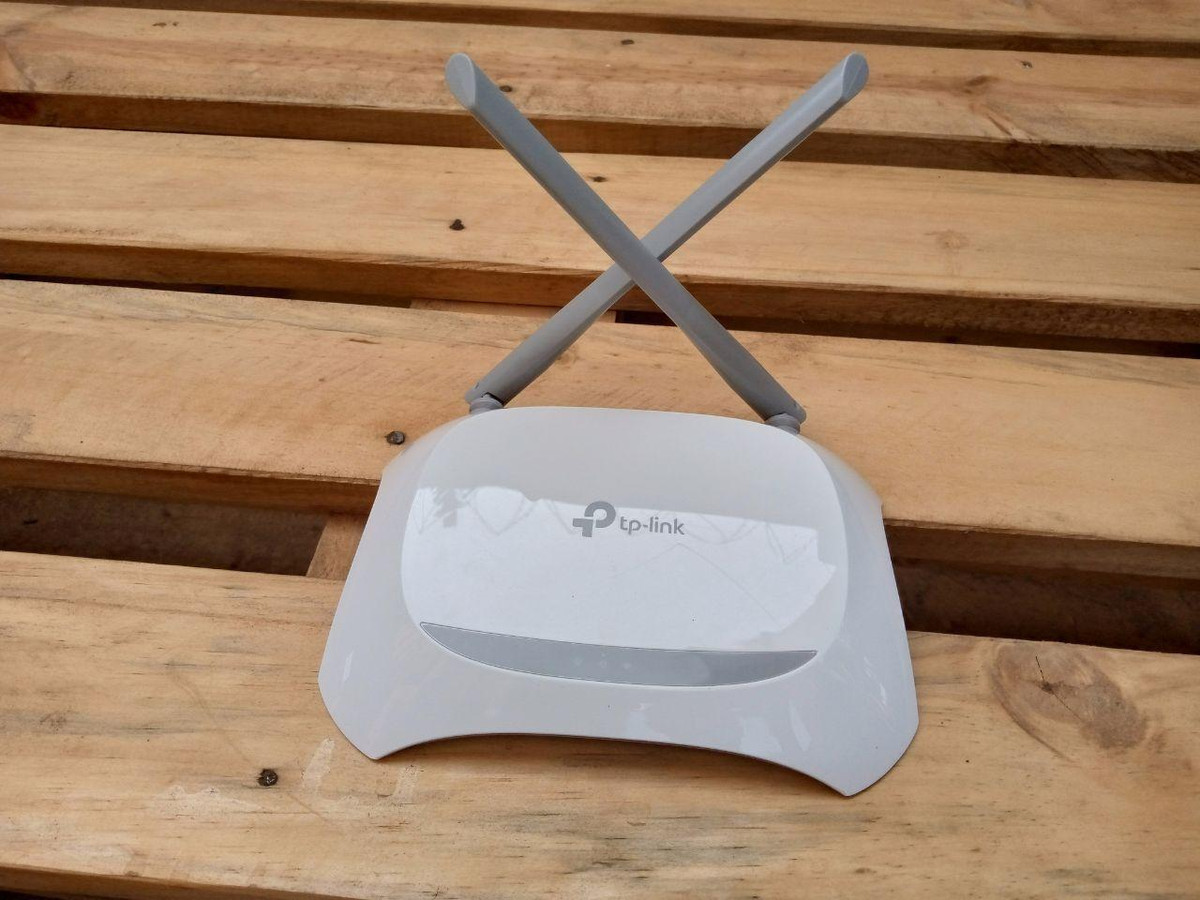
TP-Link is well-known to everyone who has ever chosen a router, but understanding the company's model range is not easy at first glance. Here, there are dozens of similar names, multiple Wi-Fi classes, different hardware revisions, and regional versions of the same model. We have figured out the current TP-Link routers and tell in detail what they differ in and which one is right for your specific tasks.
What this article is about
What is important to know before choosing
Inexpensive TP-Link routers
Mid-budget routers with Wi-Fi 5
Routers with Wi-Fi 6 - from basic to advanced
Wi-Fi 7 - from basic models to flagships
What is important to know before choosing
The speed class is not equal to the internet speed. It helps to evaluate the capabilities of the router. Let's break it down using the example of AC1200:
AC - support for the Wi-Fi 5 standard.
1200 - the rounded sum of the maximum theoretical speeds in two ranges: 300 Mbit/s at 2.4 GHz and 867 Mbit/s at 5 GHz.
This is not the connection speed with one device: in practice, it will be lower due to interference, walls, and the capabilities of the antennas of devices receiving the signal.
The speed of wired ports. The router connects to the provider's terminal through the WAN port. If it is limited to 100 Mbit/s, a computer connected to a gigabit LAN port will not receive internet faster. However, within the local network, devices can exchange data at a higher speed - if their connections allow it.
The same name does not always mean the same device. TP-Link has different hardware revisions of the same model - V1, V2, V4, and others. They may have different characteristics and available functions. In the catalog, different revisions are usually represented by separate product cards.
A USB port can perform different tasks. In some models, you can connect a storage device to it and open access to files on the home network, while in others, you can also connect a compatible USB modem for mobile internet. The presence of the connector itself does not guarantee support for the modem: it is important to check the functions of a specific router.
Inexpensive TP-Link routers
A more detailed comparison is available at the link.
TL-WR820N
TL-WR820N V2
TL-WR840N
TL-WR841N
TL-WR844N
TL-WR845N v4
TL-WR850N
Wi-Fi version
Wi-Fi 4
Speed class
N300
Operating modes
router, amplifier, access point, WISP
router
Number of external antennas
SIM card slot
Presence and capabilities of USB
LAN ports
1 WAN 100 MBit/s, 2 LAN 100 MBit/s
1 WAN 100 MBit/s, 4 LAN 100 MBit/s
MESH
Compatibility with EasyMesh
The TL-WR820N, TL-WR820N V2, TL-WR840N, TL-WR841N, TL-WR844N, TL-WR845N V4, and TL-WR850N are routers that are similar in their basic capabilities. All of them operate according to the Wi-Fi 4 standard in the 2.4 GHz range. The wired ports are limited to 100 Mbit/s.
Such devices are suitable for a small apartment with a low load on the network: messaging in messengers, opening websites, watching YouTube and movies. However, if there are many neighboring networks nearby, this will negatively affect the quality and speed of Wi-Fi - in such conditions, a router with 5 GHz will help.
A more detailed comparison is available at the link.
TL-WR842N v3 TL-WR842N v5 Wi-Fi version Wi-Fi 4 Speed class N300 Operating modes router Number of external antennas SIM card slot via USB modem USB presence and capabilities 1 USB 2.0 Port LAN ports 1 WAN 100 MBit/s, 4 LAN 100 MBit/s
The TL-WR842N V3 and V5 retain the same basic configuration: Wi-Fi 4 and four LAN interfaces at 100 Mbit/s. The main addition is the presence of a USB 2.0 port with support for compatible 3G/4G modems. You can connect a modem with a SIM card from an operator and distribute mobile internet via Wi-Fi and cable - for example, in a country house.
The declared Wi-Fi and wired port speeds for both revisions are the same. The V3 also confirms work with USB storage devices and a print server for compatible printers.
Mid-budget routers with Wi-Fi 5
The main advantage of these models over inexpensive routers from the previous section is the presence of a 5 GHz range. It allows you to get a higher speed of wireless connection and not intersect with neighboring Wi-Fi on the 2.4 GHz frequency.
Two ranges for basic tariffs
A more detailed comparison is available at the link.
Archer C20 V6 Archer C20(RU) v4 Archer C20 V1 Archer C20(RU) v5 Archer C24 Archer A2 Wi-Fi version Wi-Fi 5 Speed class AC750 Operating modes router, amplifier, access point Number of external antennas SIM card slot
USB presence and capabilities
1 USB 2.0 Port
LAN ports 1 WAN 100 MBit/s, 4 LAN 100 MBit/s
The Archer C20, C24, and A2 belong to the AC750 class, are equipped with one WAN and four LAN ports at 100 Mbit/s. These are options for those who need a basic internet tariff from a provider, but need a 5 GHz range.
A more detailed comparison is available at the link.
Archer C50(RU) Archer C50 (v1) Archer C50 V4 Archer C50 V6 Archer C54 Archer A5 Wi-Fi version
Wi-Fi 5
Wi-Fi 5
Wi-Fi 5
Wi-Fi 5
Wi-Fi 5
Wi-Fi 5
Speed Class
AC1200
AC1200
AC1200
AC1200
AC1200
AC1200
Operating Modes
router, access point
router, amplifier, access point
router, access point
Number of External Antennas
Presence and USB capabilities
1 USB
LAN ports
1 WAN 100 MBit/s, 4 LAN 100 MBit/s
The Archer C50, C54, and A5 offer the AC1200 class, but the WAN and LAN speeds are also 100 Mbit/s. Therefore, upgrading from AC750 to AC1200 increases the capabilities of the wireless network, but does not remove the internet speed limitation coming from the provider's cable.
Important: For the C20 and C50, it is worth checking the revision. The first versions had two external antennas and a USB port for connecting peripherals. Later models, C20 V4/V5/V6 and C50 V4/V6, are released without USB; the C20 has three external antennas, and the C50 has four.
Gigabit models for faster internet
A more detailed comparison is available at the link.
Archer C6 V2
Archer C6 V4
Archer C6 V6
Archer A6
Archer C64
Archer A64
Archer C6U
Wi-Fi version
Wi-Fi 5
Speed Class
AC1200
AC1300
AC1200
Operating Modes
router, access point
Number of External Antennas
Presence and USB capabilities
1 USB 2.0 Port
LAN ports
1 WAN 100 MBit/s, 4 LAN 100 MBit/s
The Archer C6, A6, C64, and A64 are equipped with a gigabit WAN and four gigabit LAN ports. They can already be considered for tariffs above 100 Mbit/s and for fast file transfer within the home network.
The Archer C6 is available in several significantly different revisions. The V2 and V3 have a declared class of AC1200, while the V4 has AC1300. The V6 officially supports EasyMesh, VPN server, and VPN client, including WireGuard. Therefore, it is worth choosing between revisions based on the necessary functions.
The Archer C6U adds a USB 2.0 port to the gigabit ports. A storage device can be connected to it, and access to files can be opened on the home network. Support for compatible 3G/4G USB modems is also declared.
More speed models AC1900
A more detailed comparison is available at the link.
Archer C80
Archer C86
Archer A8
Archer A9 AC1900
Wi-Fi version
Wi-Fi 5
Speed Class
AC1900
Operating Modes
router, access point
Number of External Antennas
Presence and USB capabilities
1 USB
LAN ports
1 WAN 100 MBit/s, 4 LAN 100 MBit/s
The Archer C80, C86, A8, and A9 belong to the AC1900 class: up to 600 Mbps at 2.4 GHz and up to 1300 Mbps at 5 GHz. To achieve the maximum connection speed, the smartphone or laptop must also support data transmission in three streams. In its specifications, this is denoted as MIMO 3×3. If it is indicated as 2×2, it will not be possible to use the full potential of the router when connecting one device.
A significant difference of the Archer A9 is the presence of a USB 2.0 port for a storage device: it is possible to organize shared access to files and media content.
Routers with Wi-Fi 6 - from basic to advanced
The technologies included in the Wi-Fi 6 standard increase the speed of the wireless network and help to more efficiently distribute the air between multiple compatible devices. This is useful when multiple people are watching videos, downloading files, and working on several computers at home.
Basic models with Wi-Fi 6
A more detailed comparison is available via the link.
Archer AX12
Archer AX10
Archer AX17
Archer AX1500
Wi-Fi version
Wi-Fi 6
Speed class
AX1500
Operating modes
router, access point
Number of external antennas
Presence and capabilities of USB
LAN ports
1 WAN 100 MBit/s, 3 LAN 1000 MBit/s
1 WAN 100 MBit/s, 4 LAN 1000 MBit/s
1 WAN 100 MBit/s, 3 LAN 1000 MBit/s
1 WAN 100 MBit/s, 5 LAN 1000 MBit/s
The Archer AX10, AX12, AX17, and AX1500 have similar Wi-Fi characteristics: up to 1201 Mbps at 5 GHz and up to 300 Mbps at 2.4 GHz. An important feature of this group is that Wi-Fi 6 only works in the 5 GHz range, while Wi-Fi 4 is used at 2.4 GHz. These models do not have a USB port.
All of them have gigabit LAN ports, but their number varies: the AX12 and AX17 have three LAN ports, while the AX10 and AX1500 have four. Therefore, you can choose between them based on the number of devices you plan to connect via cable.
A more detailed comparison is available via the link
Archer AX23 V1
Archer AX23 V2
Wi-Fi version
Wi-Fi 6
Speed class
AX1800
Operating modes
router, access point
Number of external antennas
SIM card slot
Presence and capabilities of USB
LAN ports
1 WAN 100 MBit/s, 4 LAN 1000 MBit/s
The Archer AX23 V1 and V2 belong to the AX1800 class. Unlike the previous models, Wi-Fi 6 is supported in both frequency ranges. This should be taken into account if compatible devices will be connected not only to the 5 GHz range.
Both revisions have one gigabit WAN, four gigabit LAN, and four external antennas. There is no USB. Based on the main declared speeds and the set of wired ports, V1 and V2 are identical — it is rash to consider the second revision faster just because of the number.
Advanced models with Wi-Fi 6
A more detailed comparison is available at the link.
Archer AX53
Archer AX55
Archer AX72
Archer AX73
Wi-Fi version
Wi-Fi 6
Speed class
AX3000
AX5400
Operating modes
router, access point
Number of external antennas
SIM card slot
USB presence and capabilities
1 USB
1 USB (USB 3.0)
1 USB
LAN ports
1 WAN 100 MBit/s, 4 LAN 1000 MBit/s
The main difference between Archer AX53 and AX55 from both revisions of AX23 is the support for a 160 MHz channel, which increases the maximum connection speed. To use this advantage, a smartphone or laptop must also support Wi-Fi 6 and a 160 MHz channel.
Both have one gigabit WAN and four gigabit LAN. The practical difference of AX55 is USB 3.0, which is not available on AX53. You can connect a storage device for shared file access or media playback. If these functions are not needed, AX53 offers the same speed class of wireless network.
Archer AX72 and AX73 are similar models with Wi-Fi 6 class AX5400. They can be considered for a family where video is watched, games are played, files are downloaded, and video conferencing is used simultaneously. On 5 GHz, they use four spatial streams — they can simultaneously receive and transmit a signal on four lines — instead of two on AX53 and AX55. This increases the data transfer capabilities, but does not mean that any smartphone will get a twice-as-fast connection: the result depends on its Wi-Fi module.
Both have four gigabit connectors for home appliances and USB 3.0: a connected storage device will allow opening films and documents from different devices. The internet port is also gigabit, so a rate faster than 1 Gbit/s cannot be fully utilized.
A more detailed comparison is available at the link.
Archer AX55 Pro
Archer AX72 Pro
Archer AX6000
Archer Air R5
Wi-Fi version
Wi-Fi 6
Wi-Fi 6
Wi-Fi 6
Speed class
AX3000
AX5400
AX6000
AX3000
Operating modes
router, access point
Number of external antennas
SIM card slot
USB presence and capabilities
1 USB (USB 3.0)
1 USB
LAN ports
1 WAN 100 MBit/s, 4 LAN 1000 MBit/s, 1 LAN 2500 MBit/s
1 WAN 100 MBit/s, 8 LAN 1000 MBit/s
1 WAN, 2 LAN 1000 MBit/s
The Archer AX55 Pro and AX72 Pro retain their respective AX3000 and AX5400 classes. The main reason to pay extra for the Pro is the 2.5 Gbit/s connection. This will come in handy for tariffs faster than a gigabit or for fast network storage from which you copy photos and videos. With a regular tariff and gigabit ports on home devices, this feature will not provide any advantages.
Paying extra is justified if you have a tariff faster than 1 Gbit/s or devices with the same speed network port.
The Archer AX6000 matches the AX72 and AX73 in terms of the maximum speed of the 5 GHz range, but increases capabilities on 2.4 GHz. The router stands out with eight connectors for home devices. You can connect computers, TVs, consoles, and network storage without a separate switch. There are also two USB ports - Type-A and Type-C - for drives and shared file access. This is an option for those whose home network has long been not limited to a pair of smartphones.
The most notable difference is the equipment: a 2.5 Gbit/s WAN, eight gigabit LANs, and two USB 3.0 ports - Type-A and Type-C. Such a configuration will come in handy if you need to connect several computers, TVs, consoles, and network storage via cable. At the same time, all separate LAN ports remain gigabit.
The Archer Air R5 is a model with Wi-Fi 6 of the AX3000 class in a slim body without protruding antennas. It can be mounted on the wall, freeing up a shelf or cabinet. Here, paying extra makes sense primarily for the convenience of placement and appearance, rather than for maximum characteristics.
The downside of compactness is that there is only one connector for wired connection of home devices. If you want to connect both a TV and a console via cable, you will need an additional switch.
Wi-Fi 7 - from basic models to flagships
Wi-Fi 7 routers are worth considering if you already have compatible devices or are building a fast local network. At the time of writing, this standard provides the highest quality and signal speed. However, the new standard does not necessarily mean the presence of a 6 GHz band: the BE230 and BE400 work only on 2.4 and 5 GHz.
An important nuance for Belarus: in the published BelGIE procedure for using Wi-Fi, the 6 GHz range is not listed among the bands available for home use without individual permission. Therefore, it is not worth counting on it as a guaranteed available function.