Menu
""" What PC to build in 2026: components and prices """
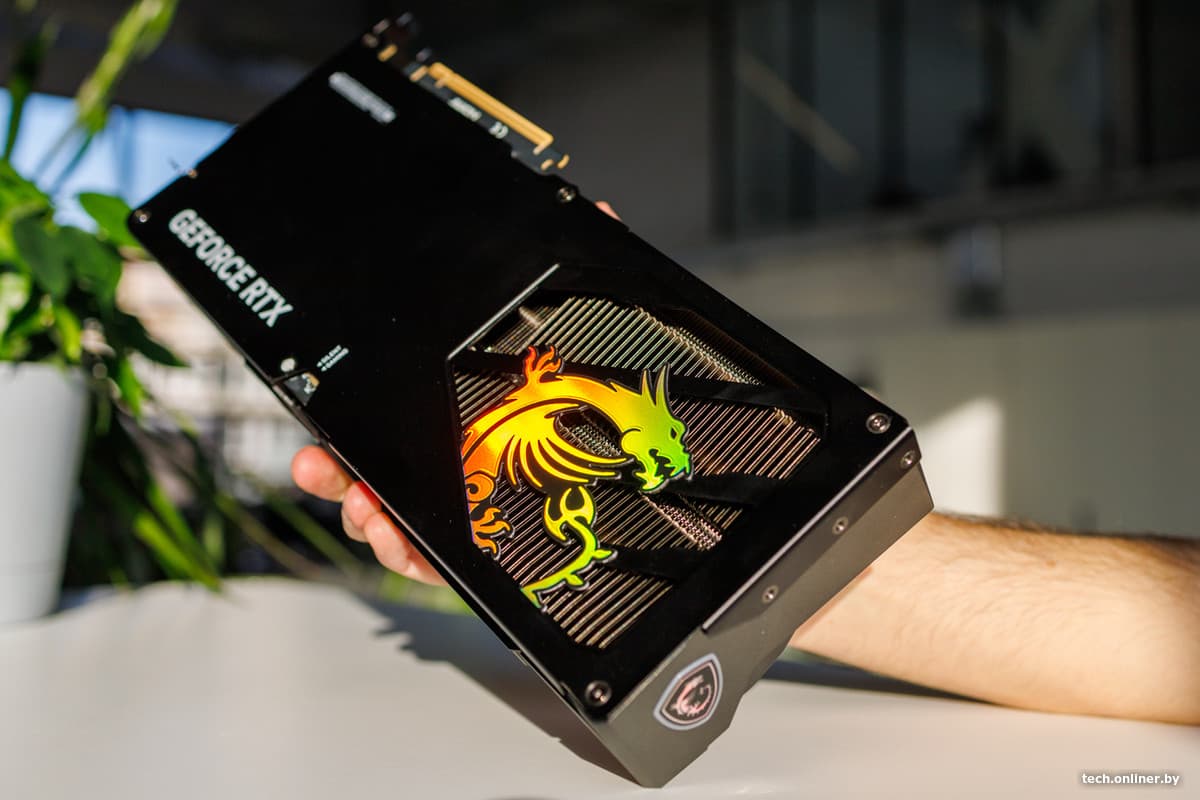
If you picked out a build back in the summer, check out the graphics card section: prices have soared since our last guide was published. Even if the list of components remains the same, the final cost could be vastly different. What can you build now with your budget, and which components should you review first? We’ve revisited all configurations—from basic PCs to gaming setups for various resolutions. For each, we’ve listed the approximate cost and compiled the components using a single link in the Onliner Catalog. Finally, we’ve addressed the key issues that arise during assembly.
What this article is about
An affordable PC without a dedicated graphics card
AMD
- AMD Ryzen 7 5700G
- Gigabyte A520M K V2 (rev. 1.1)
- G.Skill Ripjaws V 2x8GB DDR4 PC4-25600
- KingSpec NX-512-2280 512GB
- 1stPlayer BLACK.SIR 600W SR-600W
- ID-Cooling SE-224-XTS
- ID-Cooling XF-120-K (2 pcs.)
- Ocypus Gamma C50 BK Total: 1,895 r. > Link to the full build
The build is centered around an 8-core Ryzen 7 5700G with integrated Radeon graphics. This PC is ideal for studying, daily tasks, and casual online gaming at low settings. However, if you plan to play modern, demanding games, it’s better to opt for a configuration with a dedicated graphics card from the start.
Integrated graphics rely heavily on dual-channel mode, as they use the computer’s RAM. That’s why this build includes two 8 GB DDR4 modules. A 512 GB SSD is sufficient for the system and a few games. To ensure proper case cooling, add at least two fans: one for intake at the front and one for exhaust at the back.
Connect the monitor to the HDMI port on the motherboard. Later, you can add a dedicated graphics card to the build. A 600W power supply is adequate for entry-level and mid-range models.
An affordable PC for studying and online gaming
AMD
Intel
- AMD Ryzen 5 5500
- Intel Core i3-12100F
- Gigabyte A520M K V2 (rev. 1.1)
- ASRock H610M-HVS/M.2 R2.0
- AFOX Radeon RX 580 8GB GDDR5 AFRX580-8192D5H3-V3 or
- Palit GeForce RTX 3050 StormX 6 GB
- G.Skill Ripjaws V 2x8GB DDR4 PC4-25600
- KingSpec NX-512-2280 512GB
- 1stPlayer BLACK.SIR 600W SR-600W
- ID-Cooling SE-903-XT
- ID-Cooling XF-120-K (2 pcs.)
- Ocypus Gamma C50 BK Total: 2,030 r. > Link to the full build
Total: 2,071 r. > Link to the full build """
""" The AMD option is slightly cheaper and offers six cores and 12 threads, while the Core i3-12100F has four cores and eight threads. The performance difference between them in games varies depending on the specific title. For the Ryzen 5 5500, we opted for a more affordable A520 motherboard, as the processor supports PCIe 3.0, making a motherboard upgrade for a faster interface unnecessary.
Both builds feature a budget-friendly Radeon RX 580 with 8 GB of VRAM. However, the AFOX version we selected has 2048 stream processors, so test results from the RX 580 with 2304 processors cannot be directly applied.
pcgamer.com
Alternatively, you could consider the GeForce RTX 3050 6 GB, which supports DLSS and doesn't require additional power in its current configuration. If you're only planning to play graphically simple online games, the extra cost might not be justified. The RTX 3050 with 8 GB has more compute units in addition to its larger memory capacity, and with a small price difference, it's worth considering.
A pair of 8 GB memory modules ensures dual-channel operation right out of the box. After assembly, we recommend checking the BIOS to see what memory speed was detected and enabling the DDR4-3200 profile if necessary. A 512 GB SSD is sufficient for the operating system, educational software, and a few games. To keep costs down, we chose motherboards with a single M.2 slot, so if space is an issue, you may need to upgrade to a larger SSD or add a separate SATA drive.
All components are housed in the budget-friendly Ocypus Gamma C50 BK case, which includes two fans (one for intake at the front and one for exhaust at the rear) in the price.
Gaming PC for FHD gaming on DDR5
AMD
Intel
- AMD Ryzen 5 7500F
- Intel Core i5-12400F
- MSI Pro B840-P WiFi
- ASRock H610M-H2/M.2 D5 or
- ASUS Prime B760M-K
- Palit GeForce RTX 5060 Dual or
- ASRock Radeon RX 7650 GRE Challenger 8GB OC
- Kingston NV3 1TB
- DeepCool GamerStorm PF600X
- ID-Cooling SE-224-XTS
- DeepCool CC550 4F Total: 4579 rubles. > Link to full build
Total: 4402 rubles.
Link to full build """
Both configurations use 6-core processors and the RTX 5060 (review here), making them ideal for modern Full HD gaming. If you want to save money, you can replace the RTX 5060 with an 8GB Radeon RX 7650 GRE in any of these builds. The AMD build is more appealing due to its powerful Ryzen 5 7500F processor, which is better for gaming, and the AM5 platform, which allows for future processor upgrades. The Intel build is cheaper, but future upgrade options are limited to LGA1700 processors.
It's worth mentioning the unusually affordable full-size MSI Pro B840-P WiFi motherboard, which comes with Wi-Fi and four memory slots. The Intel build's ASRock H610M-H2/M.2 D5 motherboard has two slots, both of which will be occupied by 8GB modules. If you can afford to spend more, it's better to go for a 32GB kit (2x16GB) right away. Two DDR5 modules typically...